
Download MOZiE – web design, browser compatibility, Internet Explorer, Mozilla, web developer tool, side-by-side testing, web preview, design testing, web development, cross-browser testing
Overview
MOZiE is a specialized utility designed for web designers seeking to ensure consistent visual and functional performance across two historically significant web browsers: Internet Explorer and Mozilla. The application addresses the longstanding challenge of cross-browser compatibility, a critical concern during the early 2000s when browser rendering differences significantly impacted website usability and appearance. By enabling simultaneous testing, MOZiE allows developers to observe how their designs render in both environments side by side, reducing the need for repetitive switching between standalone browser instances.
The tool is particularly valuable for professionals working on legacy projects or maintaining websites that must support older browser versions. Its focus on real-time visual feedback helps identify layout discrepancies, CSS inconsistencies, and JavaScript behavior differences early in the development cycle. While the developer did not provide additional technical details about integration with design software or automation workflows, the core functionality centers on streamlining the validation process for web content.
Designed by Jason A. Bilbrey, MOZiE reflects a targeted solution to a specific pain point in the web development ecosystem of its time. Despite its age, the application remains relevant for niche use cases involving legacy system compatibility. Its lightweight footprint and free availability further enhance its accessibility for designers working under constrained resources.
Key Features & Functionality
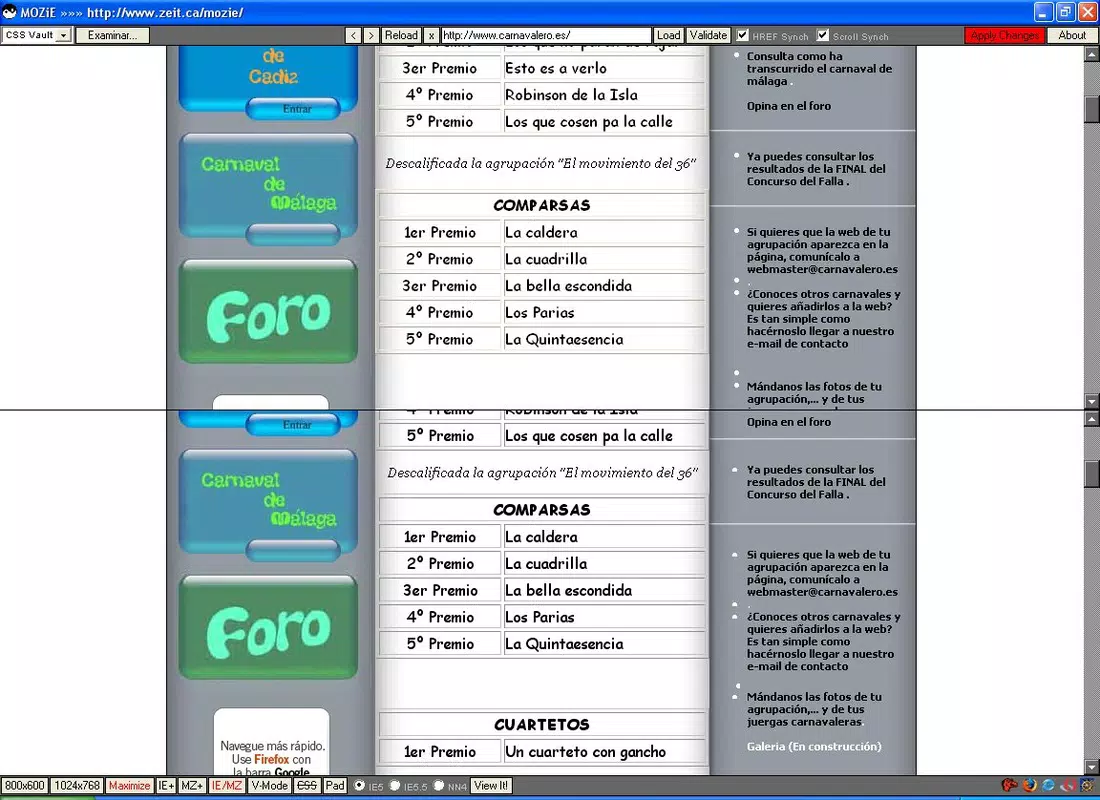
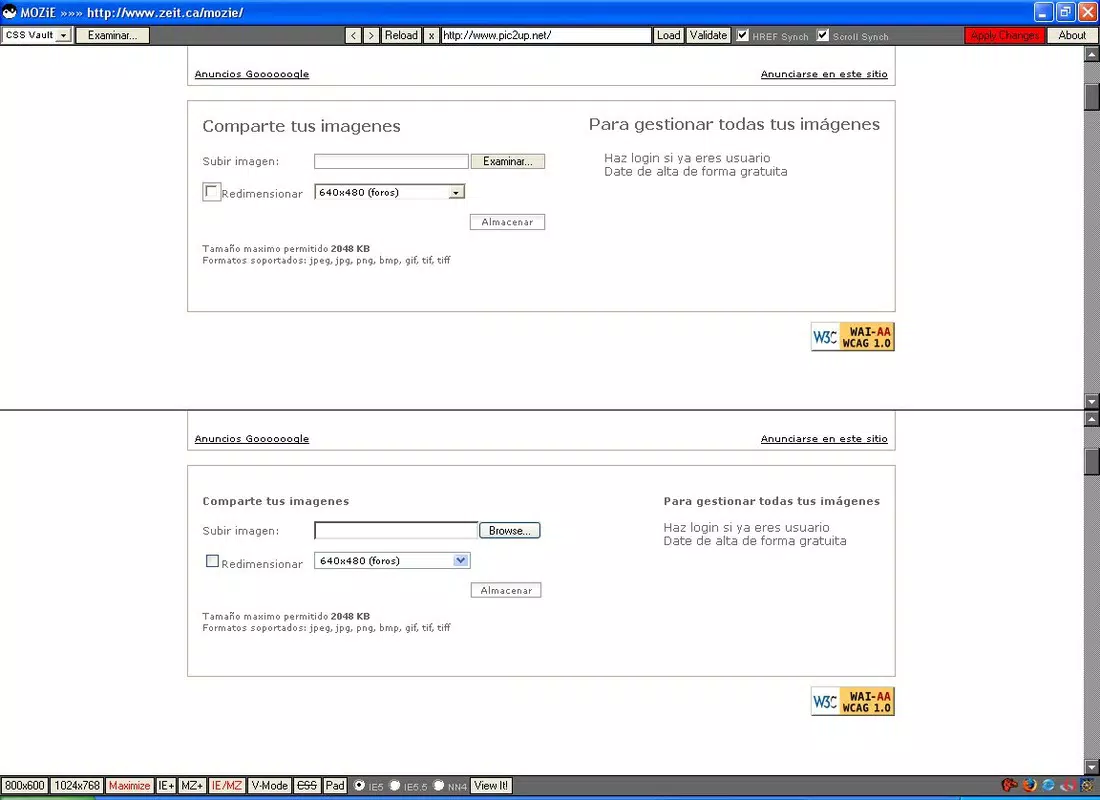
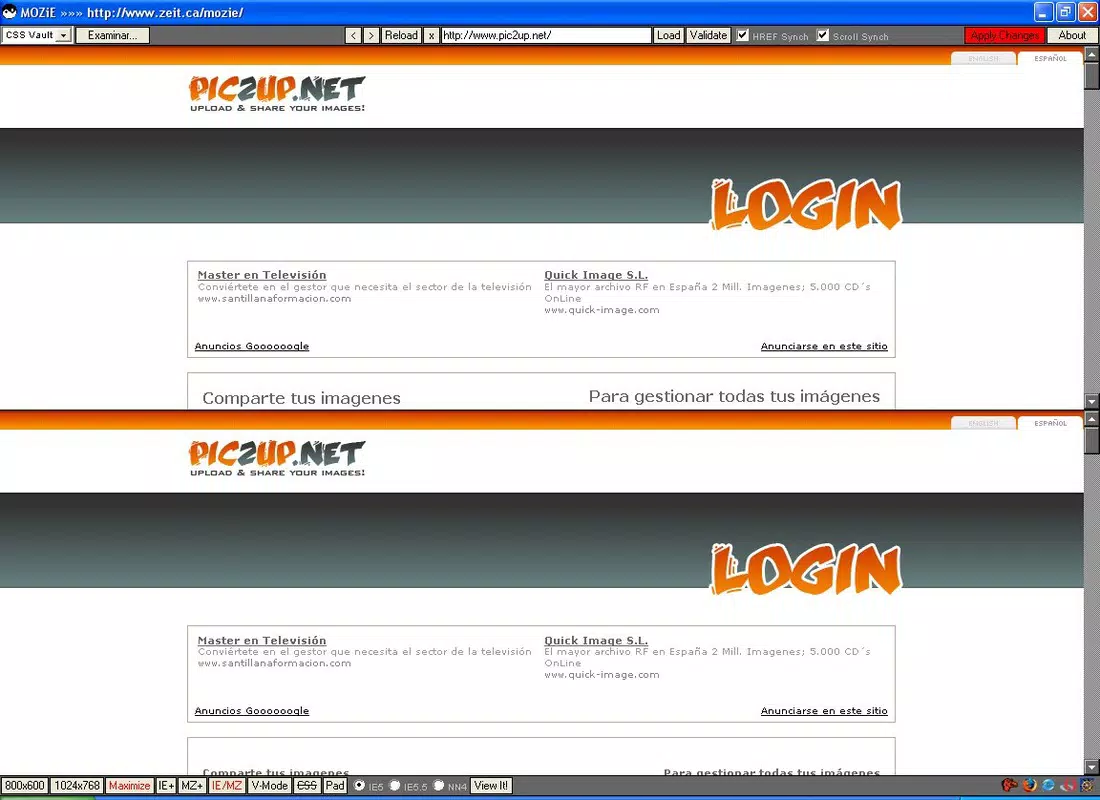
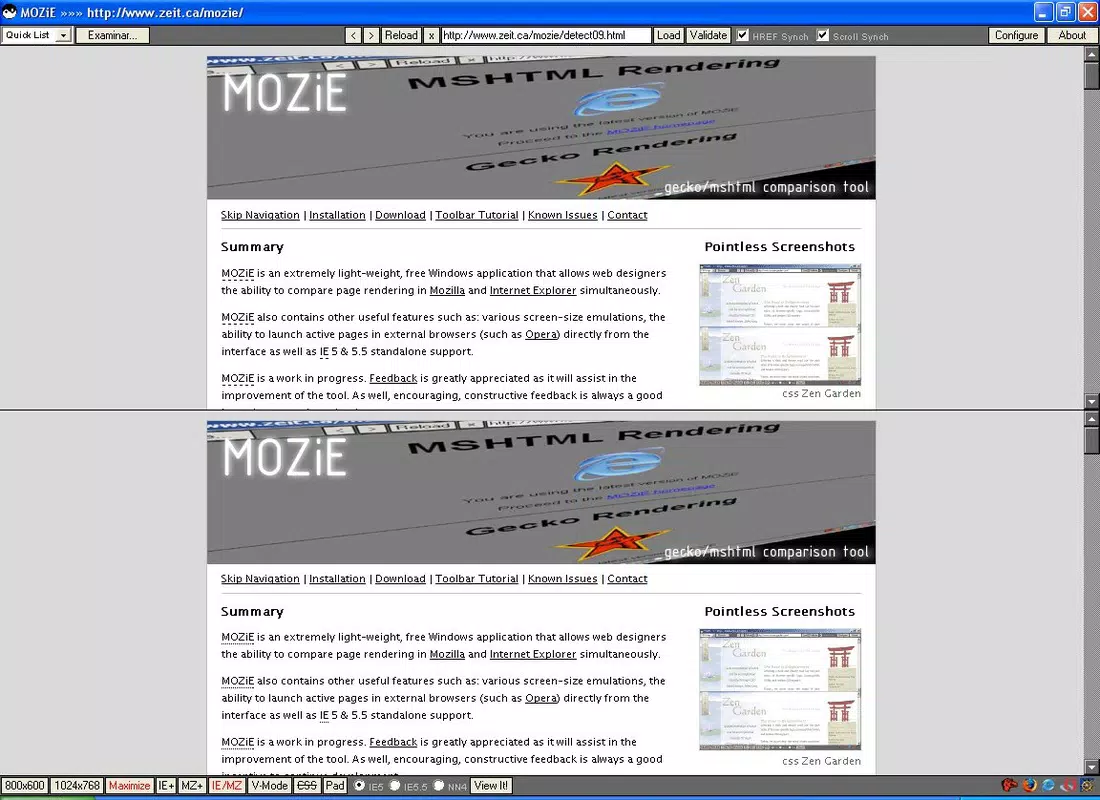
- Simultaneous Browser Testing: MOZiE enables users to run Internet Explorer and Mozilla browsers in a split-screen layout, allowing real-time visual comparison of how web pages render across both platforms.
- User-Friendly Interface: The application features a straightforward layout optimized for ease of navigation, minimizing the learning curve for designers of varying experience levels.
- Compatibility Solution: By providing a unified testing environment, MOZiE helps identify and resolve rendering discrepancies before deployment, reducing post-launch fixes.
- Time-Saving Features: Eliminating the need to manually switch between browser windows accelerates the testing workflow, supporting faster iteration cycles.
- Real-Time Adjustments: Designers can make changes to their code or layout and immediately observe the effects on both browsers, enabling a dynamic and responsive development process.
For example, a designer working on a form layout can adjust CSS properties and instantly see whether the element aligns correctly in both browsers. This immediate feedback loop enhances precision and reduces trial-and-error. The tool is especially useful when testing older web standards that were not uniformly supported across platforms. Although the developer did not specify integration with code editors or automatic refresh capabilities, the core functionality supports efficient manual validation.
Interface, UX & Performance
MOZiE presents a clean, split-screen interface designed for clarity and efficiency. The layout separates the two browser windows, allowing users to compare visual output side by side without confusion. Navigation is minimal, relying on direct browser rendering rather than complex menus, which contributes to a streamlined user experience.
Although the developer did not list formal performance metrics, the application’s file size of 2.3 MB suggests a lightweight architecture optimized for low system overhead. This makes it suitable for use on older or resource-constrained machines, a key consideration during its release era. The interface remains responsive during typical use, with minimal lag when loading pages or applying changes.
Stability appears to be a core focus, as the application functions as a dedicated testing environment without requiring additional runtime dependencies. However, specific requirements for operating system versions or hardware were not disclosed. Compatibility information was not fully disclosed, and no reports on crashes or memory leaks were provided. Overall, the user experience prioritizes functionality over advanced customization, aligning with its purpose as a focused tool for web previewing.
Platform Compatibility & Technical Requirements
MOZiE is designed for the Windows platform and is available as a standalone executable. The application requires no installation process, as it operates from a single file, making it easy to deploy and use. The file size is 2.3 MB, indicating a compact footprint ideal for systems with limited storage.
The software version is 1.0, and the release date is 2006-09-13. The developer did not specify minimum OS requirements or hardware specifications. Compatibility information was not fully disclosed, and no details were provided about support for modern Windows versions or alternative operating systems. As such, users should exercise caution when attempting to run the application on newer systems, as it may not function properly due to outdated architecture or missing runtime components.
Pros and Cons
Pros
- Free to download and use, eliminating cost barriers for individual designers.
- Lightweight design with a small file size (2.3 MB), suitable for older or low-resource systems.
- Enables simultaneous testing of Internet Explorer and Mozilla browsers, improving workflow efficiency.
- Intuitive interface reduces the learning curve for new users.
- Real-time visual feedback supports rapid design iteration and debugging.
Cons
- Released in 2006, making it outdated for modern web development standards.
- Compatibility with current Windows versions is uncertain due to lack of updated support.
- No integration with modern code editors or development environments.
- Platform limited to Windows; no availability for macOS or Linux.
- Developer did not provide information on updates, security patches, or technical requirements.
FAQ
Is MOZiE safe to download and install?
MOZiE is a free tool developed by Jason A. Bilbrey. While the application is available without cost, users should exercise caution when downloading older software, especially from third-party sources. It is recommended to scan the file with up-to-date antivirus software before use.
Can I use MOZiE on modern Windows systems?
The developer did not specify compatibility with current Windows versions. Due to its release date in 2006, the application may not function properly on newer operating systems without compatibility mode or emulation tools.
Does MOZiE support other browsers besides Internet Explorer and Mozilla?
Based on the provided information, MOZiE is specifically designed for Internet Explorer and Mozilla. No details were provided about support for other browsers such as Chrome, Firefox, or Edge.
Is there a mobile version of MOZiE?
MOZiE is designed for the Windows platform and is not available for mobile devices. The developer did not indicate plans for a mobile release.
How often is MOZiE updated?
As of the provided data, no update history or release schedule was listed. The application remains at version 1.0 since its release in 2006, suggesting it is no longer actively maintained.
Final Thoughts
MOZiE stands as a historically significant tool that addressed a critical challenge in web development during the mid-2000s: cross-browser compatibility. Its ability to display Internet Explorer and Mozilla side by side offered a practical solution for designers striving to maintain consistency across platforms. While the application is now outdated by modern standards, its core concept—real-time, side-by-side browser testing—remains relevant and has influenced contemporary development tools.
For professionals working with legacy systems or maintaining older websites, MOZiE may still serve as a viable option, particularly when modern alternatives are unavailable. However, users should be aware of potential compatibility issues on current systems and consider the lack of ongoing support. Its free availability and lightweight design make it accessible, but its limitations in scope and age must be carefully evaluated.
Download MOZiE now


